
.png?width=450&height=250&name=How%20Associations%20Are%20Using%20AI%20to%20Reduce%20Admin%20Work%20(Without%20Replacing%20Anyone).png)
Rhythm AI
Put AI to Work Across Every Part of Your Association


Now your AMS can explain itself
Your Expert on Call
Anyone on your team can ask why something happened and get a straight answer from your data.
Just Describe It
Ask for the chart you have in mind, then keep asking follow-up questions until the picture makes sense.
Bring Your Own AI
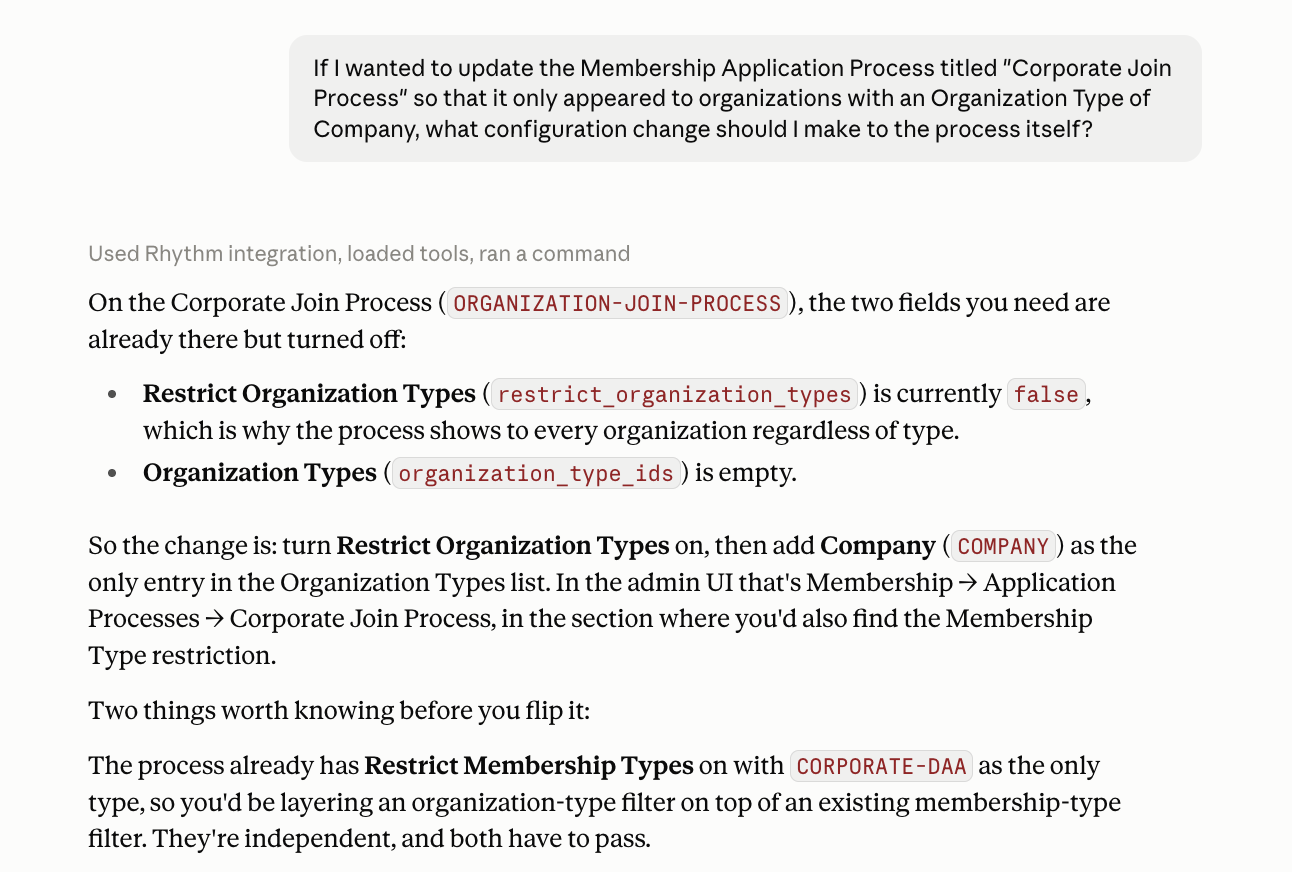
Connect Claude, ChatGPT, or another AI client to Rhythm and put it to work on your setup, your data, and your questions.
An Expert on Your Association
In most organizations, the answer to "why is it doing that?" lives with one person on staff, in a support ticket, or with a consultant. Rhythm AI reads your actual data and works the question with you.
- Ask why something behaved the way it did
- Get any setting explained in plain language
- Describe what should happen and find out what's missing
- Check a new setup before you turn it on
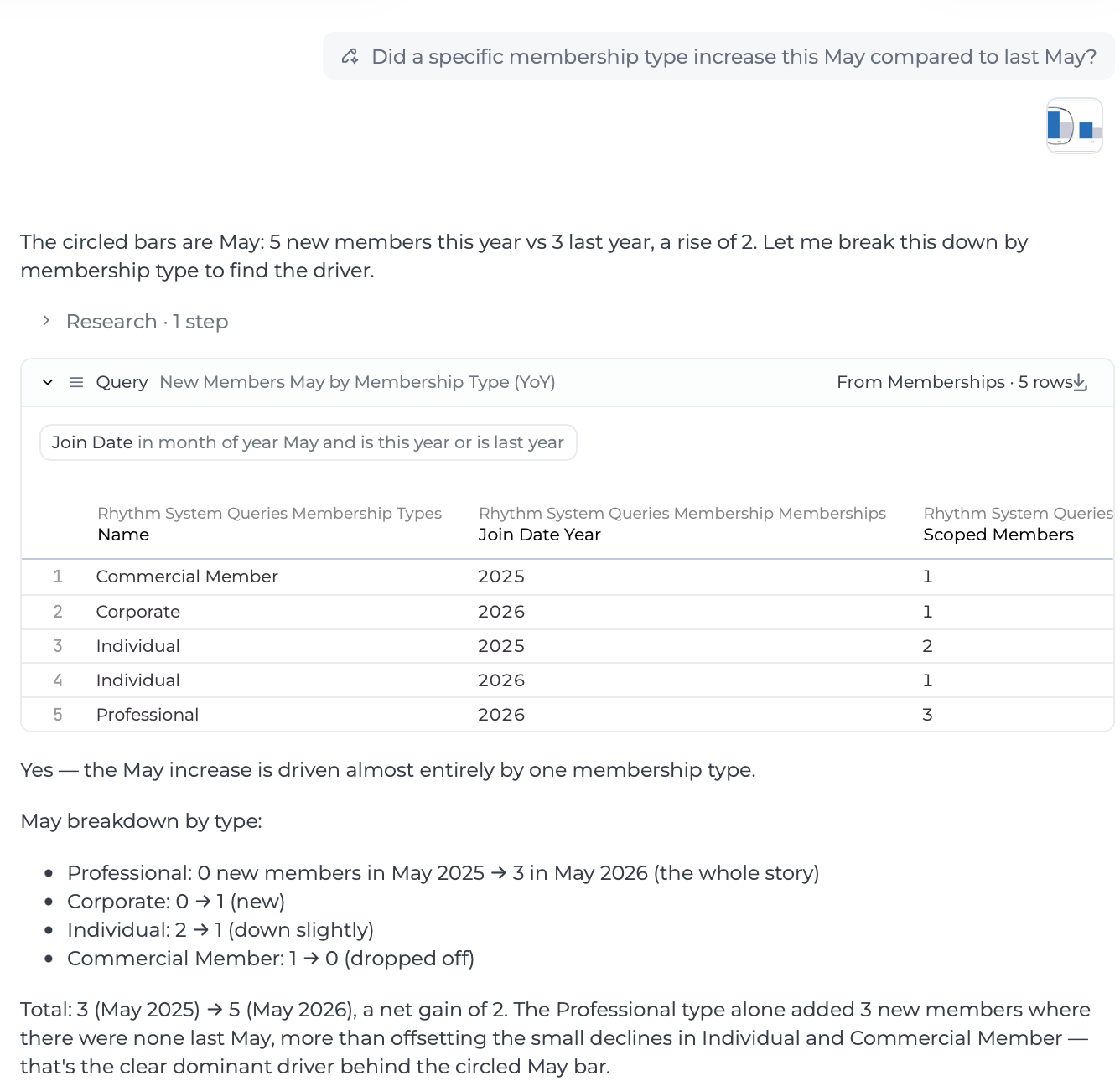
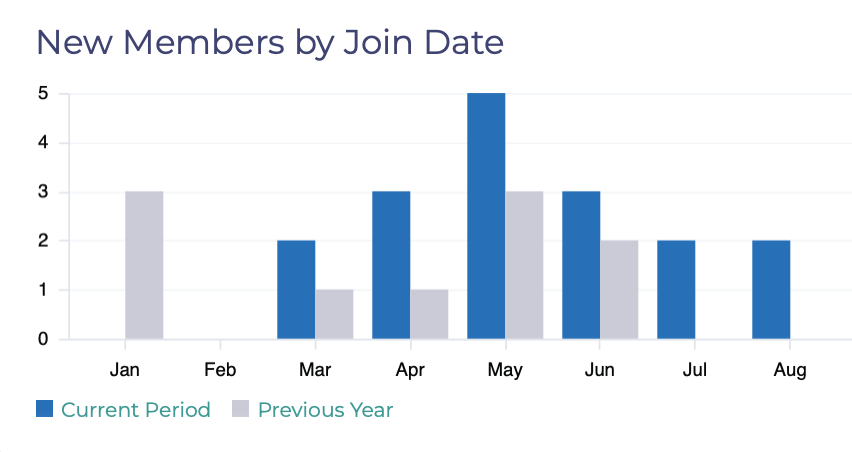
Build and Explore Your Dashboards by Asking
The AI layer inside Premium Dashboards + Reporting turns a plain-language request into a working visualization, and a number on a screen into a conversation.
- Describe a visualization and watch it get built
- Ask why one period looks different from another
- Keep refining through follow-up questions
- Publish what you build to the whole association
- Delivered through Premium Dashboards + Reporting
AI That Answers to You
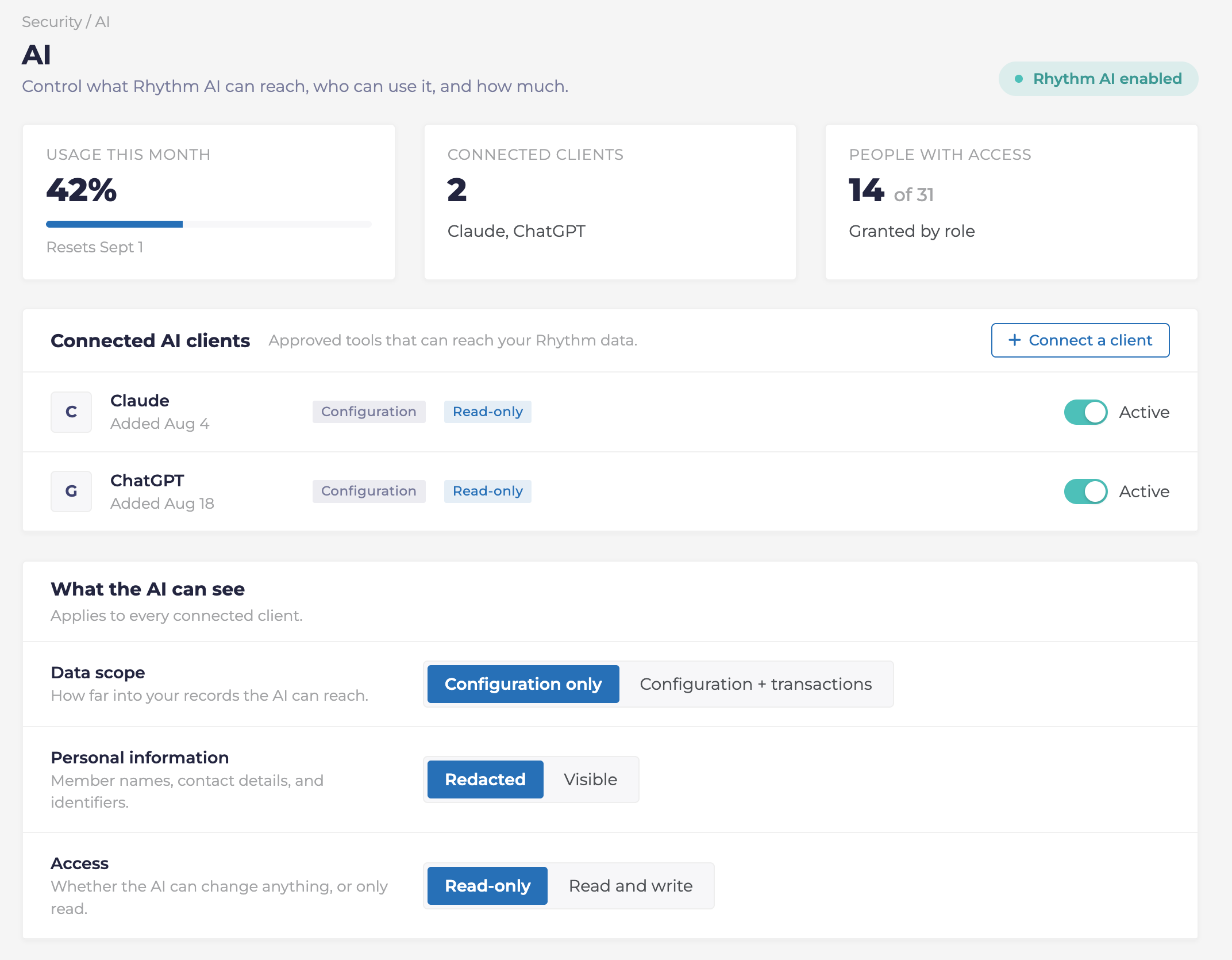
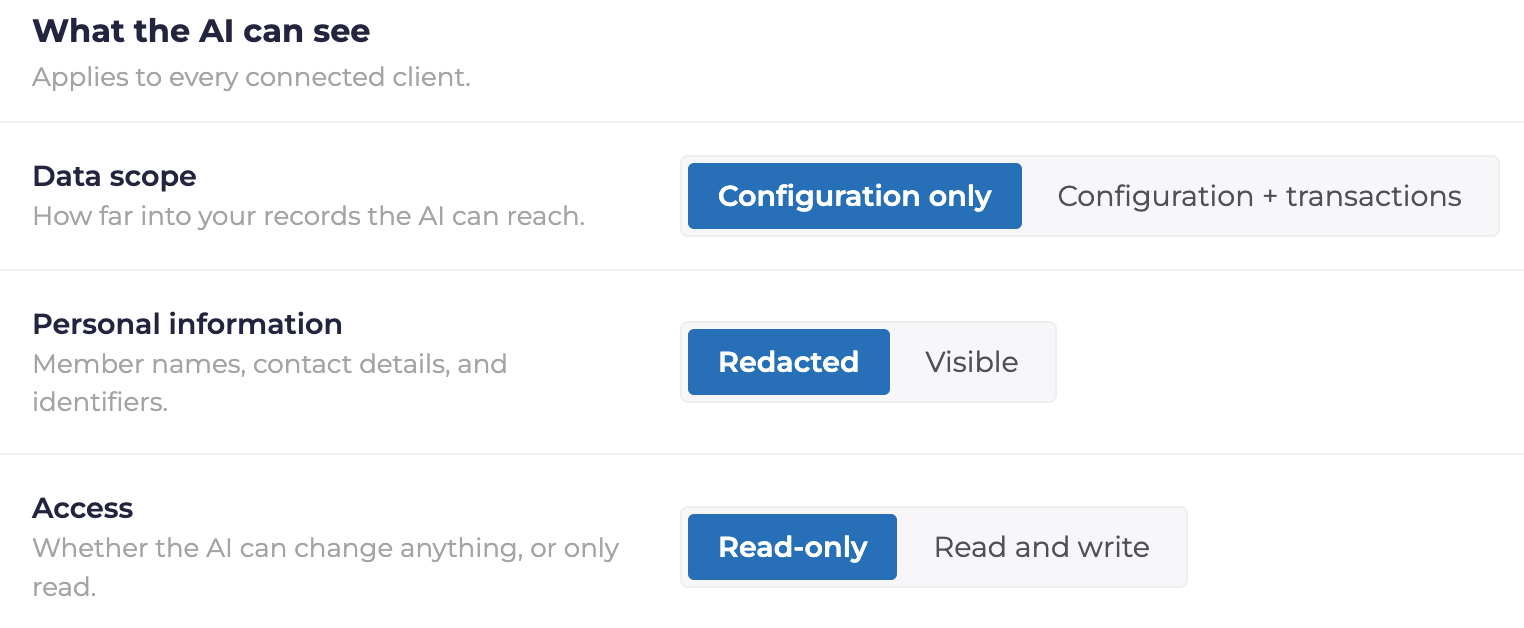
Your staff are already using AI. The real question is whether it's happening somewhere you can see. Rhythm AI gives them that help inside a boundary you set, so adopting it doesn't mean losing track of where your members' data goes.
- Connect through Claude, ChatGPT, or another AI client
- Decide what the AI can see
- See AI usage by person and set limits